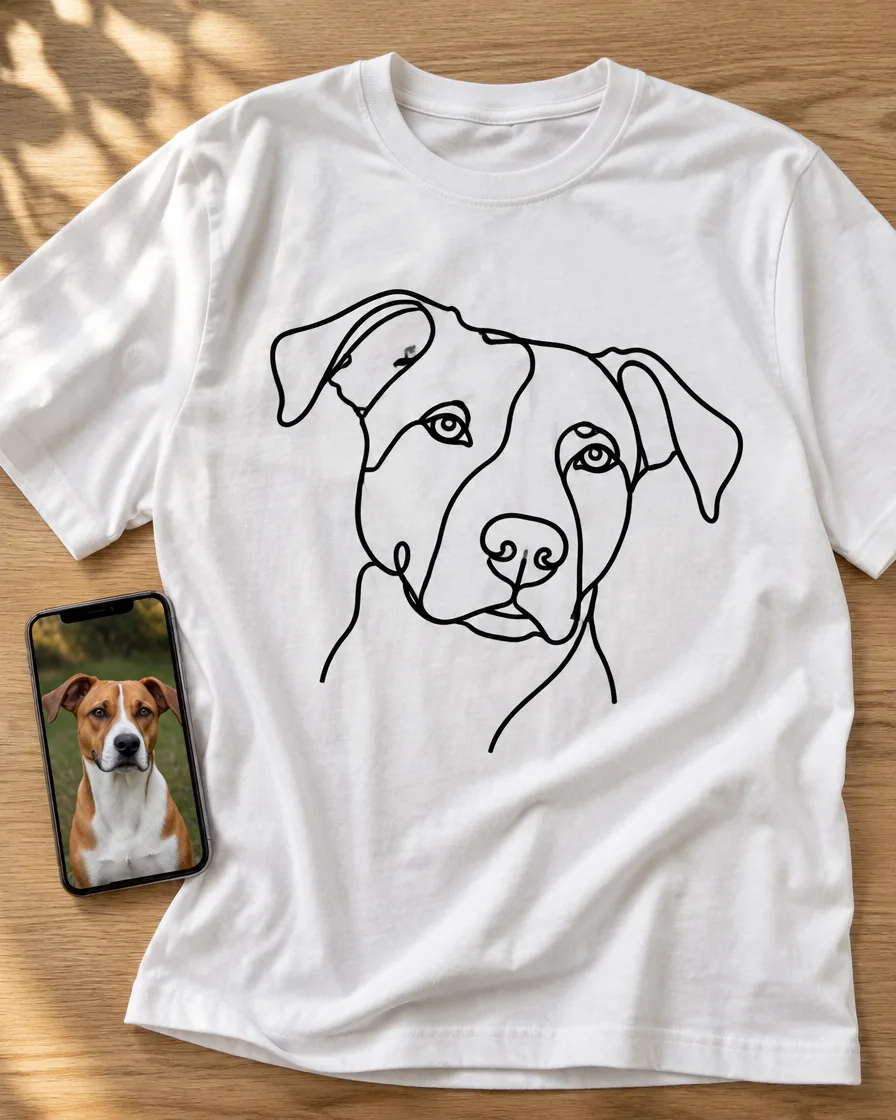
A photo t-shirt can go wrong.
The photo gets printed as a rectangle, with the couch, the wall, and everything else in the background. The result? More like an ID photo than a t-shirt you'd actually want to wear.
But turn that photo into a drawing and everything changes.
Your dog in black lines. Your parents on their wedding day, with a vintage 70s look. Your boyfriend surrounded by lightning bolts and flames, like a 90s rap t-shirt.
In this guide we show you three styles, how to turn a photo into a drawing with AI, and how to get the idea onto a t-shirt, no drawing skills needed.
Quick answer
- Three styles: line (outline only), vintage (few colors, worn-out look), and bootleg (collage with lightning bolts and sparkle).
- You can make the drawing yourself, with ChatGPT or Gemini, starting from your photo. The prompts are further below. If you'd rather not, we can do it for you, just ask for a quote.
- Transparent background, always. Whatever's in the background gets printed too.
- Line works for embroidery on a sweatshirt or hoodie. Vintage and bootleg are DTF printed.
- Price: a t-shirt with your photo as a drawing, on the chest, costs 11 €. No minimums.
- Turnaround: 7 to 14 days.
Photo or drawing on a t-shirt: there's a difference
DTF printing prints photos. So if you want a t-shirt with the photo exactly as it is, that works.
But a photo brings along the background, the light, and the shadows. On a t-shirt, that turns into a rectangle. A drawing, on the other hand, only has the person, or the dog, and the rest is just fabric.
There's also a hidden upside: the photo can be bad. Old, dark, taken on a phone in 2009. After all, to become a drawing, all it needs is a clearly visible face.
Three styles for a photo t-shirt
Line
Just an outline, usually black. Sometimes a single continuous line, without lifting the pen.
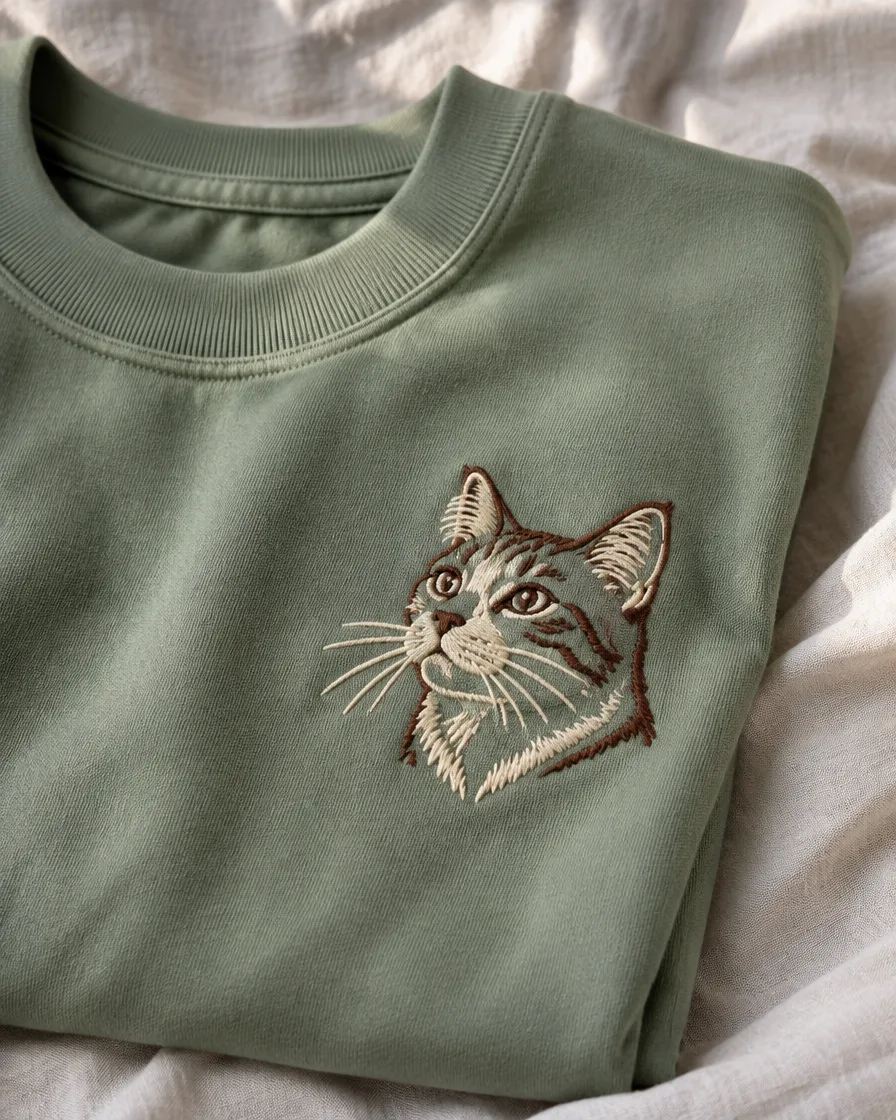
Looks great with: your dog or cat, just the head. A couple holding hands. It's understated, so you can wear it every day.
It's actually the only one of the three you can embroider. On a sweatshirt or hoodie, on the chest, with texture. But embroidery needs few, thick lines: each line at least 2 mm, up to 6 colors.
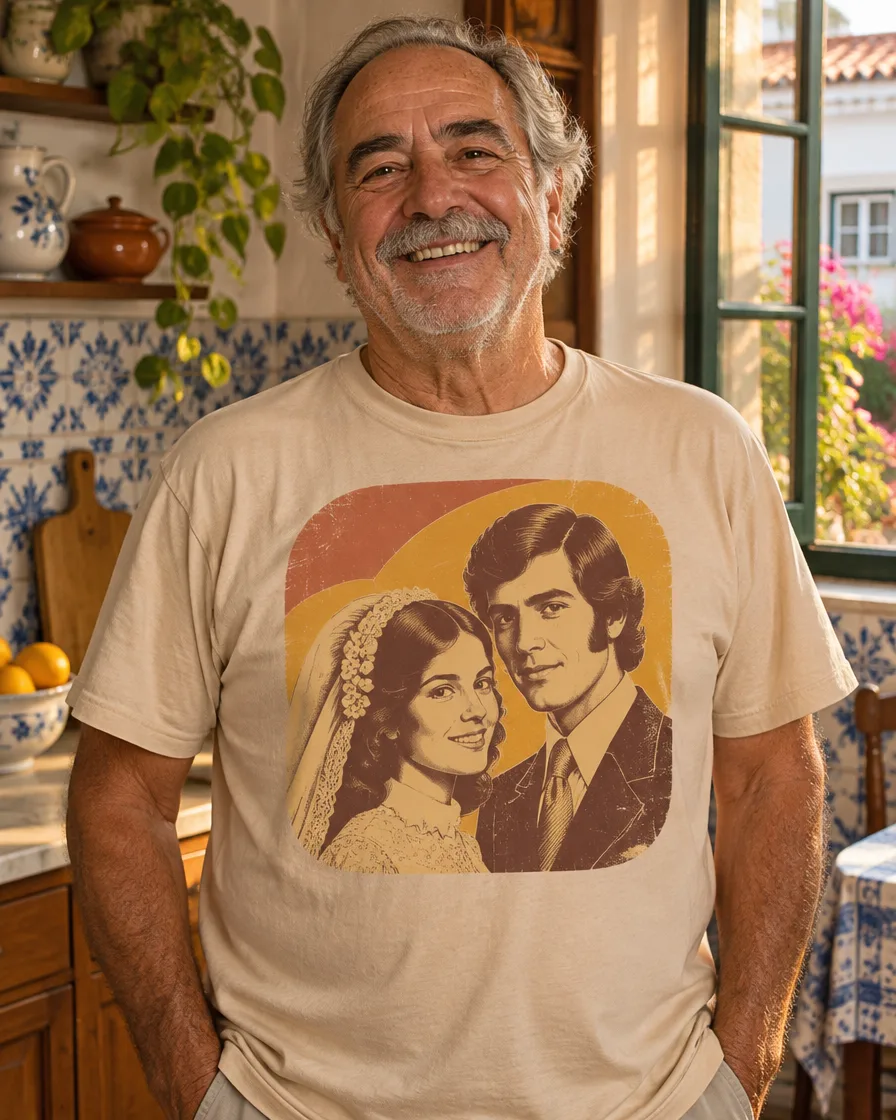
Vintage
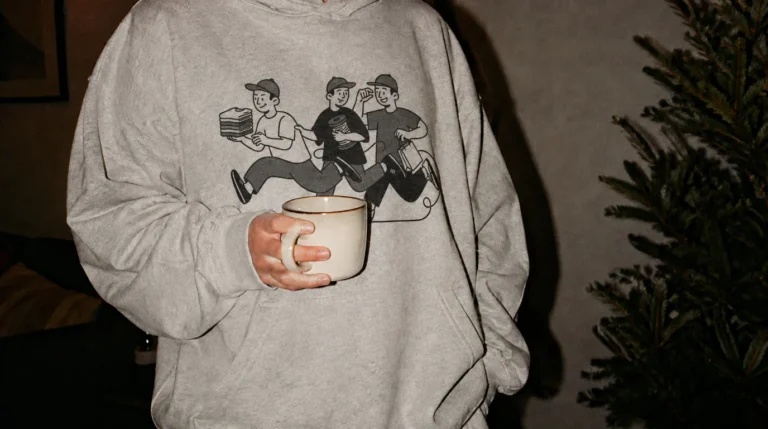
An illustration with three or four flat colors, like the t-shirts of the 70s and 80s. Warm colors and a worn-out look.
Looks great with: your parents' wedding photo. Grandpa behind the wheel of the first car. An old family photo.
It's DTF printed. That way, on an ecru or white t-shirt, it looks like it's been tucked away in a drawer for thirty years. On purpose.
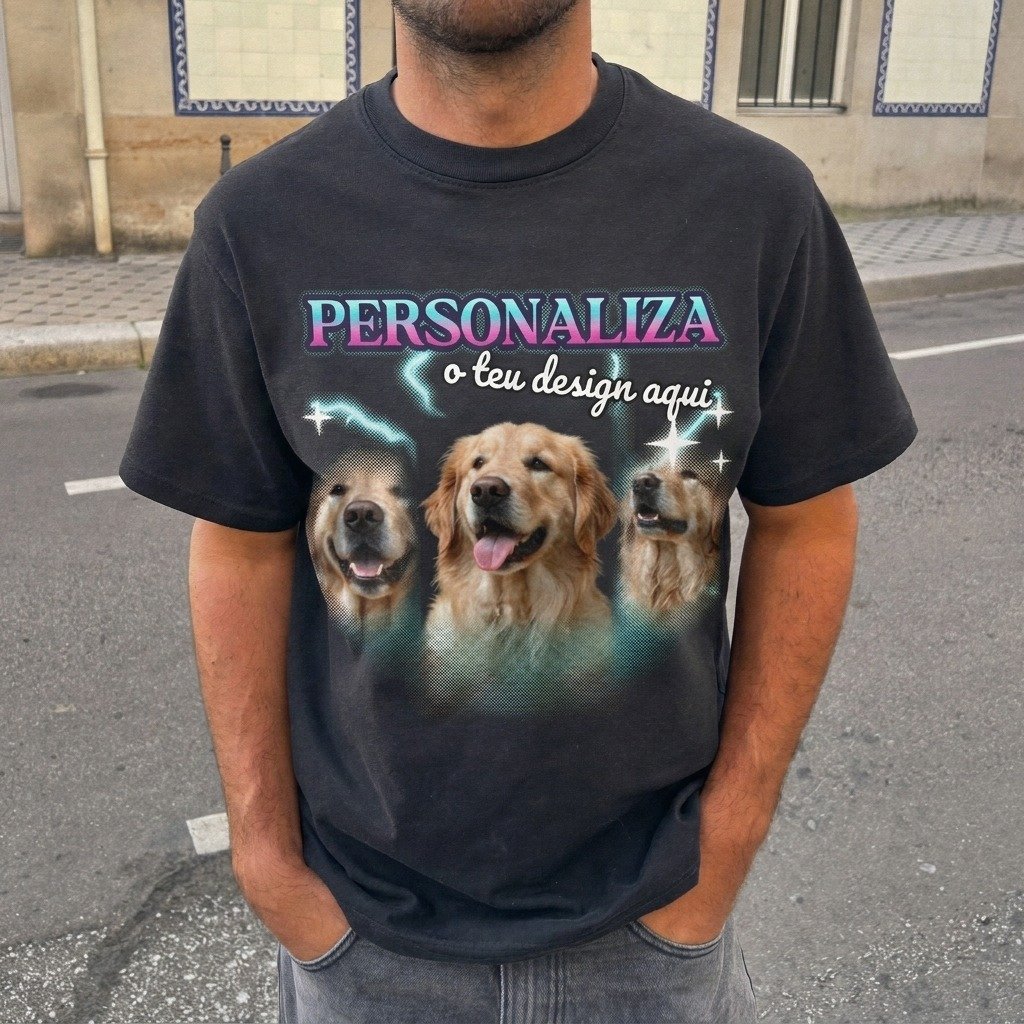
Bootleg
It comes from the bootleg rap t-shirts of the 90s. The face front and center, cut out and repeated, with lightning bolts, flames, sparkles, and a chrome frame.
Looks great with: your boyfriend, your girlfriend, your best friend. But also with the dog, if he's the star of the house. The more over-the-top, the better.
That's why it's DTF printed, and big: full front or back. On a loose black t-shirt, like the Urban Oversize.
First, pick the right photo for the t-shirt
- The face from the front or side, with the eyes visible.
- Daylight. No flash and no backlighting.
- One person or one pet at a time. For a couple, a photo of the two together.
- The dog at eye level, not shot from above.
- For the bootleg, combine three or four different photos.
How to turn a photo into a drawing with AI, in just a few minutes
You don't need to know how to draw. ChatGPT and Gemini can turn a photo into a drawing from a single sentence. Both have a free version, though with an image limit.
- Open the ChatGPT or Gemini and upload the photo.
- Paste the prompt for the style you want.
- Check if it still looks like them. If it doesn't, ask again: "Keep the face the same as in the photo."
- Download the image as a PNG.
- Finally, upload it to the customizer, on top of the t-shirt.
Line art prompt
Turn this photo into a line drawing. Just black, thick, clean lines, no shading, no colors, and no text. Transparent background. It's for printing on a t-shirt.
For embroidery, for example on a sweatshirt, add: "Few lines, all thick, no small details."
Prompt for vintage
Turn this photo into a vintage t-shirt illustration from the 70s. Just 3 or 4 warm solid colors, with a slightly worn look. No gradients and no text. Transparent background.
Prompt for bootleg
Make a 90s rap bootleg t-shirt design with these photos: cut-out and repeated faces, lightning bolts, flames, sparkles, bold colors, and a chrome frame. No text. Transparent background.
Why "no text"? AI still isn't great at writing, especially with accents. Write the name, date, or phrase in the customizer, in whatever font you want. That way it comes out sharp and you can change it until the very end.
Before you upload your design
- Is the background really transparent? ChatGPT and Higgsfield generate images without a background: just ask for "transparent background". In other tools the background may come out white, or with a gray checkered pattern that looks like transparency but is actually part of the image. If that happens, remove the background with a free background remover before uploading. But if only white remains, on a dark t-shirt the customizer will warn you and offer "Remove white background".
- Are the outlines clean? A blurred shadow around the design can come out looking like a dirty border.
- Does the design stand out against the t-shirt color? For example, a black line on a navy-blue t-shirt disappears.
The rest is in how to prepare your file.
So it doesn't end up all pixelated
Images from ChatGPT and Gemini are usually between 1000 and 1500 pixels on each side. However, what matters is how many of those pixels fit in each inch of fabric. The customizer says "Good sharpness" from 150 dpi at actual size, and beyond 300 you won't notice any difference. In practice:
| Longer side of the image | Maximum size with good sharpness | Enough for |
|---|---|---|
| 1024 px | 17 cm | Chest |
| 1536 px | 26 cm | Front, for a medium-sized design |
| 2048 px | 34 cm | Full front or back |
The customizer shows "Good sharpness" when everything's fine. Whenever it says "May come out blurry", shrink the design until it changes.
For line drawings there's a shortcut: a free PNG-to-SVG converter turns it into a vector. That way, it stays sharp at any size.
How much a photo t-shirt costs, and which one to pick
- For a subtle design: JT150 T-shirt, 11 €. Lightweight, good for line art or vintage.
- For a sturdier t-shirt: Regular T-shirt 190, 16 €. Thicker, so it holds up to more washes.
- For a big bootleg: Urban Oversize T-Shirt, 18 €. Oversized, in 90s style.
- For a special gift: Sweatshirt Crew Neck, 43 € with the line drawing embroidered on the chest.
- For a more laid-back look: Unisex Oversize Hoodie, 40 €. Bootleg on the back, or embroidered line art.
Prices for one item with the design printed on the chest. The sweatshirt price already includes the embroidery setup. Everything else adds up like this:
- Full front: +3 € per unit.
- Full back: +4 € per unit. That's mainly where the bootleg gets bigger.
- Embroidery: 15 € setup fee, once per design.
- Shipping in Portugal: €6,57, free from €80.
- For the whole family: −10% from 8 units, −20% from 20 and −26% from 30.
Either way, the customizer shows the total before you pay. To compare the two techniques, check out DTF or embroidery. For a sweatshirt gift, there's the guide to custom sweatshirts to gift.
Some ideas to steal
- The dog in line art, embroidered on a sweatshirt. For the person who talks more about the dog than about you.
- Parents on their wedding day, in vintage style, for an anniversary.
- Your boyfriend in bootleg style, on the back of a black hoodie. For his birthday, or just to embarrass him.
- The cat in line art on a white t-shirt, with its name underneath.
- Grandpa in vintage style, and the whole family in the same t-shirt at Christmas lunch.
How long does a photo t-shirt take?
Every photo t-shirt is made to order. So plan for 7 to 14 days. For Christmas, the deadlines are in the Christmas gift guide.
Questions about photo t-shirts
Do you make the drawing?
We can, with a custom quote. Email us at geral@matterstu.com with the photo, the style you want, and the item, and we'll get back to you with a price.
But if you'd rather do it yourself, just follow the steps above. Either way, we always review the file before production, and if there's an issue, we'll talk to you first.
Can you embroider the photo as it is?
No, because embroidery only works with solid colors, up to 6. That's why the photo has to be turned into a line drawing first, with lines at least 2 mm thick.
Can I use an old or blurry photo?
You can, as long as the face is clearly visible. After all, what goes on the t-shirt is the new design, and it's the sharpness of that design that counts.
Can I put the dog's name or a date?
You can. Type them in the customizer, in whatever font and color you want, above or below the design.
What if the AI doesn't get the face right?
Ask again, or start with a different photo. You only upload the design once you like it. Either way, you'll see how it looks on the t-shirt in the customizer before you pay.
Can I use any photo?
Use your own photos, or images you have permission to use. Don't use photos of other people, or images found online, without the necessary rights. By uploading the image in the customizer, you confirm you have them.
Make your photo t-shirt
Choose the photo. Paste the prompt. Put the design on the t-shirt and see how it looks before you pay.
Questions about the design or the file? Talk to us on customer support.